Classroom Context
Keep class, subject and teaching context together.


Plan lessons, create teaching materials, build differentiated worksheets, and work with your own sources — all in one AI-powered Windows workspace designed for teachers.
Windows 11 · Free public beta · Available until November 15, 2026
Still in development. Not all planned features are included. Future commercial versions are not promised free.
Installer: approximately 110 MB. Additional local AI model/runtime: approximately 5.1 GB. Internet is required for initial setup; AI inference then runs locally. Downloads, updates, licensing and connected services may require Internet.
Each additional chatbot often means another place for copying, pasting, prompting, checking and reorganising.
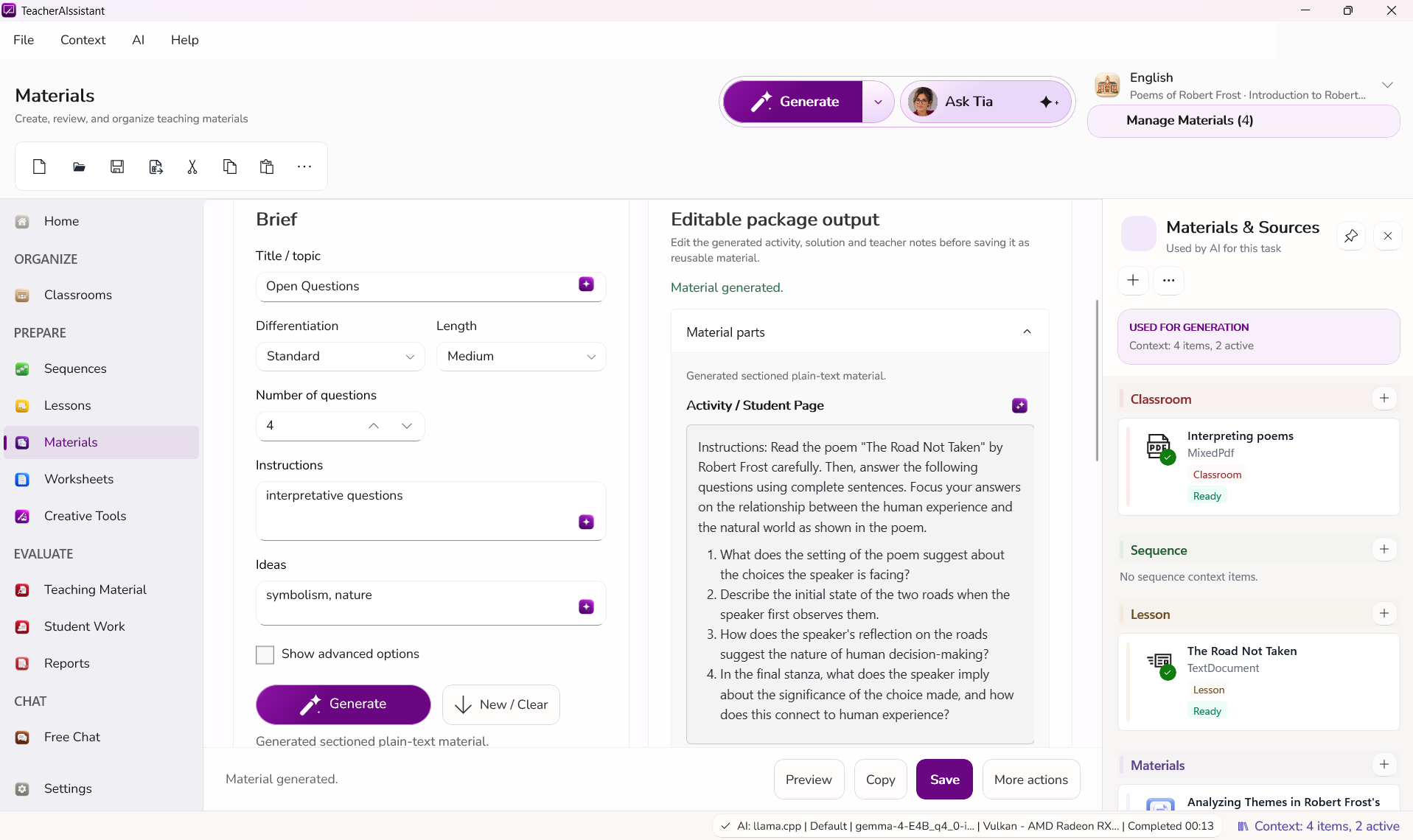
Classroom context, tools and approved results stay connected.
Still in development. Not all planned features are included. Future commercial versions are not promised free.
Keep class, subject and teaching context together.
Build lessons and sequences around your actual classroom.
Create editable classroom materials from your own sources.
Generate, adapt and review structured worksheets and exercises.
Turn scans, images and audio into editable classroom content.
Create images, audio and teaching resources in the same workspace.
Support criteria, feedback and reporting while the teacher stays in control.
Use AI freely when a structured workflow is not what you need.
No need to explain the same class over and over again.
Review, change and approve before anything leaves the workspace.
Move from source to material, adaptation and export without rebuilding context.
TeacherAIssistant is built to run AI locally on supported computers. Everyday classroom work does not need to be sent to an external AI service for inference.
Installer: approximately 110 MB. Additional local AI model/runtime: approximately 5.1 GB. Internet is required for initial setup; AI inference then runs locally. Downloads, updates, licensing and connected services may require Internet.
TeacherAIssistant supports professional judgement. It does not replace it.
TeacherAIssistant prepares a result.
You inspect, edit and adapt it.
Nothing becomes your teaching result until you decide it should.
Planning, materials and AI-assisted workflows live in one place, with relevant classroom context available and every important result editable.
Explore TeacherAIssistant for teachersA credible path for responsible introduction — designed for individual teachers today and broader institutional deployment.
Institutional enquiriesMac and iPad versions planned.
TeacherAIssistant grows from first-hand teaching experience, practical work with AI in education and a direct understanding of real classroom workflows.
The starting question was not ‘What can AI do?’ It was ‘Why are teachers using more AI without getting enough time back?’
Windows 11 · Free public beta · Available until November 15, 2026 Still in development. Not all planned features are included. Future commercial versions are not promised free.